
SEO Isn’t Magic – It’s a Checklist: A Real Talk on Ranking in 2025
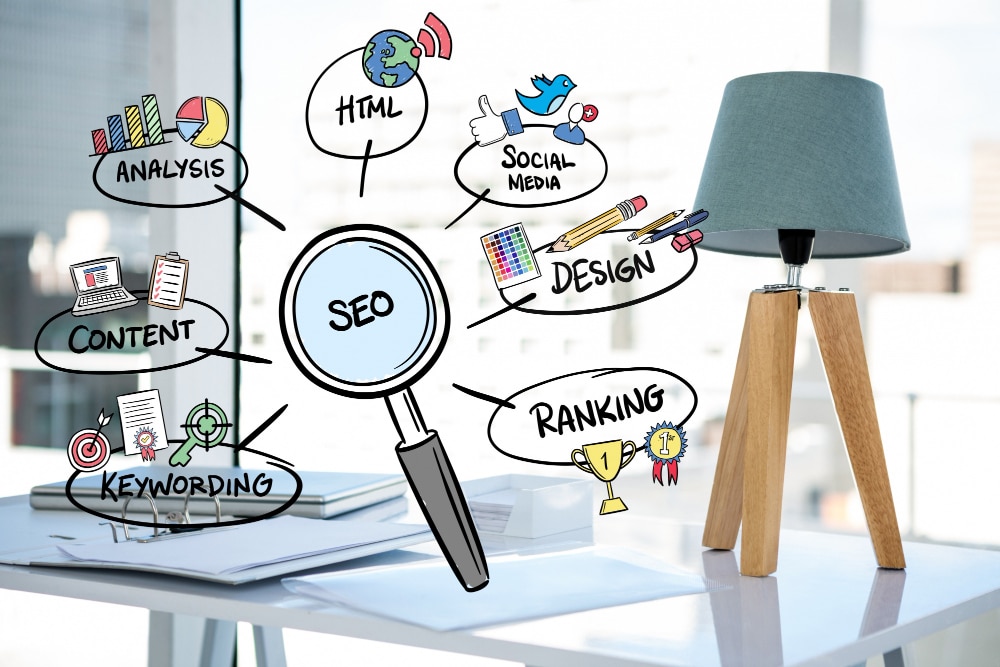
Search Engine Optimization (SEO) is no longer a mystery. It’s not about tricking Google or stuffing keywords into paragraphs until it feels like your page is just screaming for attention. It’s about following a clear checklist and doing the right things, step by step.
I recently went through Nathan Gotch’s video, The Ultimate SEO Checklist, and while it’s loaded with great info, it also reminded me of something important: SEO is less about secrets and more about systems. And it’s something every business can (and should) do — especially if you want to grow your traffic and win on Google.
So, let’s walk through it. Not with complicated jargon, but with real, useful advice and a few of my own thoughts.
1. You Can’t Fix What You Don’t Measure
Before you change a single thing, you need to track. If you’re not using Google Analytics 4 (GA4) and Google Search Console, you’re flying blind.
These tools are free, and they give you the basic data you need: where traffic is coming from, what pages are performing, and how people are interacting with your site.
It might seem boring, but this is your foundation. Without it, you’re just guessing. And in SEO, guessing is expensive.
I also recommend tools like Screaming Frog (for site audits) and Semrush (for keyword tracking), but don’t get overwhelmed. Start with GA4 and Search Console. That’s enough to begin.
2. Leading vs Lagging: Know the Difference
Nathan talks about leading indicators (like optimizing pages or getting backlinks) versus lagging indicators (like traffic and rankings).
Think of it this way:
-
Leading = the work you do
-
Lagging = the result you get
You need to focus on the work: publishing content, optimizing your site, earning backlinks. The results will come — but only if you’re consistent. SEO is a long game.
3. Your Website Must Be Crawlable and Indexable
I’ve seen beautiful websites that are invisible to Google because they’re blocked by a robots.txt file or have “noindex” tags.
Sounds technical? A little. But here’s the quick fix:
-
Use the Detailed Chrome Extension
-
Visit your page, and check the “robots” tag
-
If you see “noindex” — that’s a problem
If Google can’t see your page, it can’t rank it.
4. Design Still Matters — A Lot
Let me say this plainly: People judge your business based on your website’s look. If it feels outdated or hard to navigate, they’ll leave — and that sends bad signals to Google.
A fast, mobile-friendly, modern website design is not optional anymore. It builds trust, improves user experience, and helps your SEO.
So yes, design is an SEO factor. It’s not just about looking good — it’s about performing well.
5. Clean Up the Junk
Most websites are full of bloat. Old blog posts that get no traffic. Pages that were never finished. Duplicate content. Broken links.
Nathan’s checklist suggests trimming the fat:
-
Delete pages with no traffic, no links, and no keywords
-
Redirect old pages that have backlinks
-
Update content with fresh info and visuals
It sounds harsh, but this matters. Google doesn’t want to crawl 1,000 pages of fluff. It wants quality, not quantity.
6. Use Schema and Structure Things Clearly
Google is smart, but it’s still a machine. Help it out with schema markup — small pieces of code that tell search engines exactly what a page is about (like a product, review, or service).
Even better: Use proper heading structure. Only one <h1> per page, and then organize your <h2>, <h3>, etc., to make your content easier to read and scan.
And keep an eye on thin content too. A page with just 100 words probably isn’t useful. Aim for content that’s helpful and answers real questions.
7. Avoid Aggressive Popups and Annoying Ads
Ever clicked a site and instantly been bombarded with popups? Feels like someone yelling in your face. Not a great first impression.
Google doesn’t like that either.
Keep it simple. If you’re going to use a popup, time it well. Don’t interrupt the user before they’ve even had a chance to read. Respect the experience, and it will help your rankings.
8. Build Trust with Simple Pages
Trust pages like:
-
Privacy Policy
-
Terms of Service
-
About Us
-
Contact Page
These might seem boring, but they matter. They tell users (and Google) that you’re a real business. Having a team page or author bios can also help build authority — especially if you’re writing about sensitive topics (like health, finance, or legal advice).
And yes, show who you are! I’ve seen too many faceless websites. People buy from people.
9. Focus on Content That Actually Helps People
Here’s where I have to agree 100% with Nathan: content should be helpful.
I’ve seen businesses throw up blog posts just to “hit a keyword.” But if the content isn’t useful, what’s the point?
Ask yourself:
-
Does this page answer the searcher’s question?
-
Is it original (not just AI fluff)?
-
Is it easy to read?
If the answer is no, fix it — or don’t publish it. Focus on value.
And by the way, if you need help creating SEO-friendly content that actually ranks, a New Zealand-based agency like HornTech offers Google SEO services tailored for local and international success.
10. Internal Links = Free SEO Wins
Most people obsess about backlinks (links from other websites), but forget about internal linking.
Link your own pages to each other, especially:
-
From high-authority pages to newer pages
-
From blog posts to product/service pages
-
Using natural anchor text (not the same every time)
Internal links help Google understand your site, distribute authority, and keep users moving through your content.
11. Be Ruthless with Outdated Content
If you wrote a blog post about “best tips for 2019” — it’s probably not helping your site anymore. Either update it to make it Evergreen, or redirect it.
Stale content doesn’t rank well. And worse — it makes you look outdated.
Freshness matters, especially if your industry changes fast (like SEO).
12. Crawl Depth: Don’t Bury Your Best Pages
If it takes more than 3 clicks to get to your most important content, you have a crawl depth problem.
Make sure key pages are linked from your main navigation or important blog posts. You want search engines and users to find them quickly.
Nathan recommends tools like Screaming Frog for this, and I agree. A crawl will show you what Google sees — and what it doesn’t.
13. Keyword Cannibalization Is Real
Let’s say you have three blog posts targeting the same keyword. You’re not helping yourself — you’re competing with yourself.
Instead:
-
Consolidate similar pages
-
Choose one target keyword per page
-
Support that page with internal links
Less confusion = better rankings.
14. Use AI Carefully
AI can help you write — but don’t rely on it to replace your voice or expertise.
Google is getting smarter at detecting low-effort content. If you use AI, edit it. Add examples. Add personal experience. Make it yours.
This post you’re reading? It uses real human input. AI-assisted, yes. But still human-crafted.
15. Final Thought: Do the Work
If there’s one thing I’ve learned, it’s this: SEO takes effort.
Yes, tools help. Yes, checklists matter. But at the end of the day, you need to put in the time.
Whether you do it yourself or hire someone like HornTech for expert Google SEO, the results come to those who show up consistently and do the right things — even when they’re not exciting.
SEO isn’t magic. It’s just work.
If you made it to the end — congrats. You already have more SEO clarity than most business owners. Now the question is: what are you going to do with it?
Need help taking the next step? Get in touch with the HornTech SEO team — they speak plain English, get results, and understand what Google really wants in 2025.